Crawl Scheduling Patterns for Live Web Data Pipelines
Matching crawl frequency to how fast pages actually change prevents silent pipeline failures.
Crawl scheduling is an ongoing adjustment, not a single dial you set once and forget. It's the discipline of matching how often you check a page against how fast that page actually changes, and getting that match wrong is the single biggest reason live web data pipelines quietly rot. Most teams treat every URL the same: crawl it on a fixed clock, assume the data downstream is fresh enough. That assumption breaks the moment you scale past a handful of sources.
Here's why it breaks. JavaScript-heavy pages, anti-bot defenses, and compliance rules all mean a fixed-interval crawl wastes budget on pages that never changed, while missing the exact window when a volatile page updates. External sites aren't stable dependencies either: layout changes, A/B tests, and CDN switches alter delivery with zero warning. Worse, the failures are often silent. A job reports success, but the page it scraped served a partial render, or a login wall, or an A/B variant with different markup. The dashboard looks fine until someone downstream notices the numbers don't add up.
The stakes are higher now because a large share of generative AI models train on scraped web data, which makes crawling foundational AI infrastructure, not a nice-to-have for a BI dashboard. Retrieval-augmented generation systems fail in two distinct ways that both trace back to scheduling: coverage gaps, where a page didn't exist yet at index time, and drift, where the indexed page has since changed underneath the embedding. Neither is a retrieval problem. Both are scheduling problems wearing a retrieval costume. And an autonomous agent running a reasoning loop can't sit around waiting on a batch job to finish. If it needs the current price on a page, latency and staleness collapse into the same failure mode: the agent acts on something wrong.
None of this means "crawl faster." It means treating scheduling as a discipline with its own logic, one that has to match frequency, trigger type, and priority to how each source actually behaves.
The four scheduling patterns and what distinguishes them
Stop asking "how often should I crawl this?" That's the wrong question. The right one is: what signal should trigger the next crawl?
Four patterns answer that question differently.
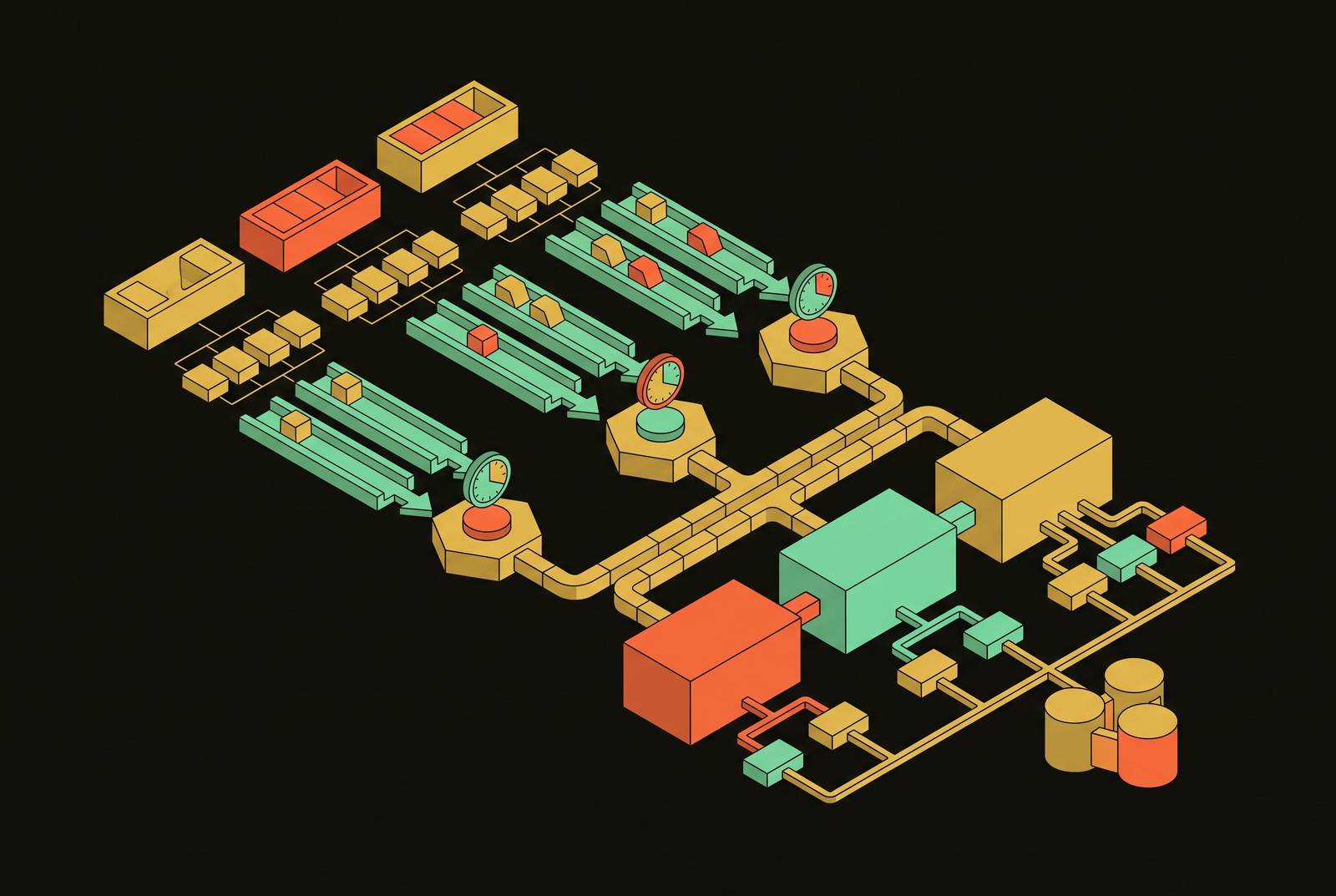
Time-based scheduling uses the clock as the signal. Predictable, cheap to run, easy to reason about. Event-driven scheduling responds to a trigger, internal or external, such as a user query, a webhook, or a price alert firing. Change-adaptive scheduling watches a page's own history and speeds up or slows down the crawl rate based on what that page has actually done. And ML-driven priority scheduling scores every URL by predicted value, a rough estimate of expected information gain minus the cost and risk of the crawl attempt, then spends the budget where the score is highest.
These aren't rival approaches you pick once. Production pipelines almost always run at least two in parallel, a bulk path and a fast path, and the real architecture decision is which pattern governs which tier of the pipeline.
Regardless of which you pick, JavaScript rendering, proxy rotation, CAPTCHA handling, and retry logic all depend on one common factor. That layer has to work no matter what scheduling logic sits on top of it, and handing that infrastructure off to a managed API is usually what makes the scheduling question tractable in the first place. Otherwise you're solving two hard problems at once.
Time-based scheduling: when the clock is the right signal
Cron-based scheduling is exactly what it sounds like. Trigger a request or a batch job on a fixed interval, deliver results to a webhook, or let the caller retrieve them later with a job ID. No mystery to it.
It belongs wherever update cadence is predictable: daily reports, periodic sitemap refreshes, and similar predictable update cycles. It's also the right call for reporting and market monitoring where freshness gets measured in hours or days, not seconds, and for bulk coverage jobs, crawling a full domain on a schedule to keep a broad baseline current.
On the orchestration side, Apache Airflow and similar tools coordinate multi-step pipelines: task dependencies, retries, job status, all handled in one place. That's the right tool when the crawl is one step among several. For simpler workloads, serverless triggers, functions that spin up, fetch, process, and shut back down, offer a lighter operational footprint for simpler workloads. Most production teams end up running both: scheduled bulk crawls for coverage, a faster path bolted on for anything time-sensitive.
Watch for interval mismatch. A daily crawl on a page that updates hourly still leaves cron scheduling a valid approach. It's proof that cron scheduling got pointed at the wrong source. The practical rule: use time-based scheduling when you can say "this source updates roughly every X hours" with real confidence, and X is long enough that most of your crawls aren't no-ops.
Event-driven crawling: treating the web as a real-time stream
A live crawler works on a fundamentally different principle than a batch job. It's a different kind of system, stateful and persistent, sitting there waiting for something to happen, rather than a job that runs on a timer and shuts down. That's a design difference, not just a frequency difference.
Triggers come from both directions. Internally, an agent mid-reasoning decides it needs a current page right now, or a user query demands a live answer, or a monitoring rule fires because it detected a change. Externally, a competitor drops a press release, a product page goes live, a pricing API returns something that doesn't match the last known value.
This is genuinely harder to build. Persistent connections, tracking historical page state, handling anti-bot defenses continuously instead of once per job, recovering from failures without losing monitoring coverage in the gap. That operational weight is exactly why most teams default to a managed API for the plumbing and keep their own engineering effort on the scheduling logic itself, since that's the part that's actually the product.
Event-driven crawling earns its keep in competitive price monitoring, news and social signal tracking, and any agentic workflow where the agent's next move depends on what's on the page right now. It doesn't earn its keep on broad coverage crawls or low-volatility content, where the cost of holding a connection open outweighs whatever freshness you'd gain from it.
Change-adaptive scheduling: letting page history set the crawl rate
The idea here is simple even if the mechanics aren't: track how often a URL has actually changed, then crawl it faster while it's active and slower once it settles down. The clock doesn't set the rate. The page's own behavior does.
"Change" itself needs defining. Sometimes it's binary, did any tracked field change since last time. Sometimes it's about magnitude, a price that moved 0.1% doesn't deserve the same urgency as one that moved 30%. And sometimes it's about timing, a regression estimate of when the next meaningful update is likely, based on how the page has behaved historically.
The scheduler leans on a handful of signals to make that call: time since the last crawl, historical change frequency, and patterns tied to day of week or hour of day, since plenty of sites update on a publication cycle. Domain-level signals matter too. The average change rate across a whole site gives you a reasonable starting prior for a brand-new URL you've never crawled before.
This is also the mechanism behind the freshness TTL problem in RAG pipelines: deciding whether to fetch a page live or reuse a cached chunk, governed by a per-topic freshness window. Change-adaptive scheduling is what sets and adjusts that window per URL, instead of forcing one global TTL onto sources that behave nothing alike. The staleness problem in RAG, where pages already in the index have since changed and the embeddings still point at old text, is a scheduling problem specifically. Recrawling everything on a tighter schedule narrows the gap but burns compute on pages that never move. Adaptive scheduling puts the compute where the change is actually happening.
In practice this means storing a per-URL recrawl interval next to the crawl logs, updating it after every fetch: back off with something like exponential decay when a page is stable, tighten the interval fast when changes start showing up.
ML-driven priority scheduling: allocating crawl budget by predicted value
At large enough scale, even change-adaptive scheduling runs into a wall. Budget is finite. Some URLs wait. Only which ones remains uncertain.
That's the problem ML-driven scheduling is built to solve, by scoring expected net utility for each crawl attempt: predicted information value, minus predicted cost, minus a penalty for the risk of getting blocked. Information value comes down to the probability a page changed, multiplied by how much that change actually matters to the business. Cost is mostly compute and network overhead, which climbs fast on JS-heavy renders. Risk penalty is the odds this particular attempt trips a CAPTCHA or a block.
The modeling side isn't exotic. Gradient-boosted tree models work well on tabular URL features: path structure, query parameters, crawl depth, historical success rate. Sequence models pick up temporal patterns in how a page has updated over time. And bandit frameworks wrapped around the supervised model handle the uncertainty, exploring low-confidence URLs instead of blindly trusting whatever the current model predicts, which matters once the underlying pattern drifts.
The visible effect: crawl traffic stops looking like spiky, uniform hits on a fixed clock and starts looking like a smooth flow proportional to value, which also happens to lower detection risk since the traffic pattern no longer looks like a bot on a timer.
The economics back this up. One study found maintenance effort dropped 85% once an AI-driven system started recognizing page changes and updating extraction logic on its own, instead of requiring an engineer to patch a broken selector every time a site redesigned. Separately, one enterprise replaced a team of 15 manual scrapers with an AI-driven system and watched first-year costs fall from $4.1 million to $270,000, while data accuracy climbed from 71% to 96%, according to GPTBots' 2026 figures. Most organizations landing here end up with a hybrid, using supervised models for short-term reward estimates, a bandit layer for exploration, and ML governing priority inside a schedule that's still anchored to a clock at the outer level. Not fully rule-based, not fully learned either.
Matching patterns to data sources: a working decision framework
Two questions decide which pattern fits: how fast does this source change and how predictably, and what does staleness actually cost you downstream, an annoyance or a real failure?
Slow, predictable sources, regulatory filings, documentation, a company's "about" page, belong on time-based cron with a daily or weekly interval. ML priority buys you almost nothing here; the pages barely move. Moderately volatile, structured sources, product catalogs, pricing pages, job listings, fit change-adaptive scheduling best, with domain-level priors to bootstrap new URLs and tighter recrawl windows kicking in once change is detected.
Highly volatile, coverage-critical sources, news feeds, social signals, live inventory, need event-driven monitoring on the specific targets that matter most, backed by an ML-priority queue handling the long tail for broader coverage. And agentic, query-time access, RAG grounding, an agent calling a tool mid-reasoning, doesn't want a pre-built index at all. It wants a synchronous crawl at the moment of the query, freshness measured at query time rather than baked in ahead of time.
That last point has a real architecture implication for RAG systems specifically: combining static retrieval over proprietary data with live web search for anything current works better than forcing one policy across both tiers. Each tier should run its own scheduling pattern, not share one.
URLs also move between tiers as their behavior changes. A product page that's sat still for 90 days gets demoted back to time-based. A page that just changed three times in a week gets promoted up to change-adaptive or straight into event-driven monitoring. None of this works, though, unless crawl budget gets treated as a finite resource that's deliberately allocated. These four patterns are prioritization schemes first. The scheduling configuration is just the mechanism.
Pipeline integration: how scheduling patterns connect to LLM-ready output
Getting the timing right solves half the problem. A perfectly timed crawl of a JS-heavy page still hands back raw DOM unless the collection layer also handles rendering and formatting, and that's a scheduling concern too, not a separate step you bolt on afterward.
Feeding raw HTML into an LLM burns tokens on nav bars, ad markup, tracking scripts, and layout tags that have nothing to do with the content anyone actually wants. That noise adds overhead and degrades the quality of what the model actually processes. Clean Markdown output strips the boilerplate before chunking even starts, which matters more the higher your crawl frequency gets, since token cost compounds fast at volume. And for fields the pipeline actually needs to track, price, availability, publication date, structured JSON extraction against a defined schema is the right abstraction. Don't pass the whole page into the model just to pull out three fields.
This is where the two-pipeline architecture shows up in practice. The bulk path runs high-volume async jobs, posts results to a webhook, and lets downstream ETL handle parsing and loading, a natural fit for time-based and change-adaptive scheduling. The fast path is a synchronous API call that returns immediately, built for event-driven and agentic use. Most production teams run both side by side, and the scheduling framework is what decides which URLs travel which route.
Orchestrators like Airflow or Prefect handle the dependencies, retries, and whatever happens after the crawl finishes. The crawl itself is one node in a larger DAG, not a standalone process running off on its own. The scheduling patterns covered above decide when that node fires. The orchestrator decides what happens next.
Operational concerns that apply across all four patterns
Anti-bot defenses don't care which scheduling pattern sits above them. A site that fingerprints browsers, rate-limits by IP, or throws CAPTCHAs at anything that looks automated will do it whether the request came from a cron job, an event trigger, or a scoring-based priority queue. Proxy rotation, request pacing, and realistic browser fingerprints have to be handled underneath all four patterns, not layered on top of just one.
Compliance sits in the same spot. Robots.txt rules, rate limits, and terms-of-service constraints apply regardless of trigger type, and a scheduling system that ignores them because it's "event-driven, not bulk" is fooling itself. Cost tracking matters just as much: every pattern spends compute and network differently, and without visibility into per-URL cost, an ML-priority system can't actually optimize anything, it's just guessing with extra steps. Monitoring for silent failures rounds it out. Every pattern needs a way to catch the run that reports success but stores an empty page, a login wall, or a stale cache, because that failure mode doesn't ask permission before it shows up. Context, a Y Combinator-backed crawling and scraping API that converts any URL to LLM-ready Markdown and extracts structured data via JSON schema, is one option teams reach for to handle that collection layer so scheduling logic doesn't have to account for rendering and formatting failures on top of everything else.