JavaScript Rendering Failure Modes in AI Data Pipelines
Silent JavaScript rendering failures corrupt AI data pipelines without any error signals.
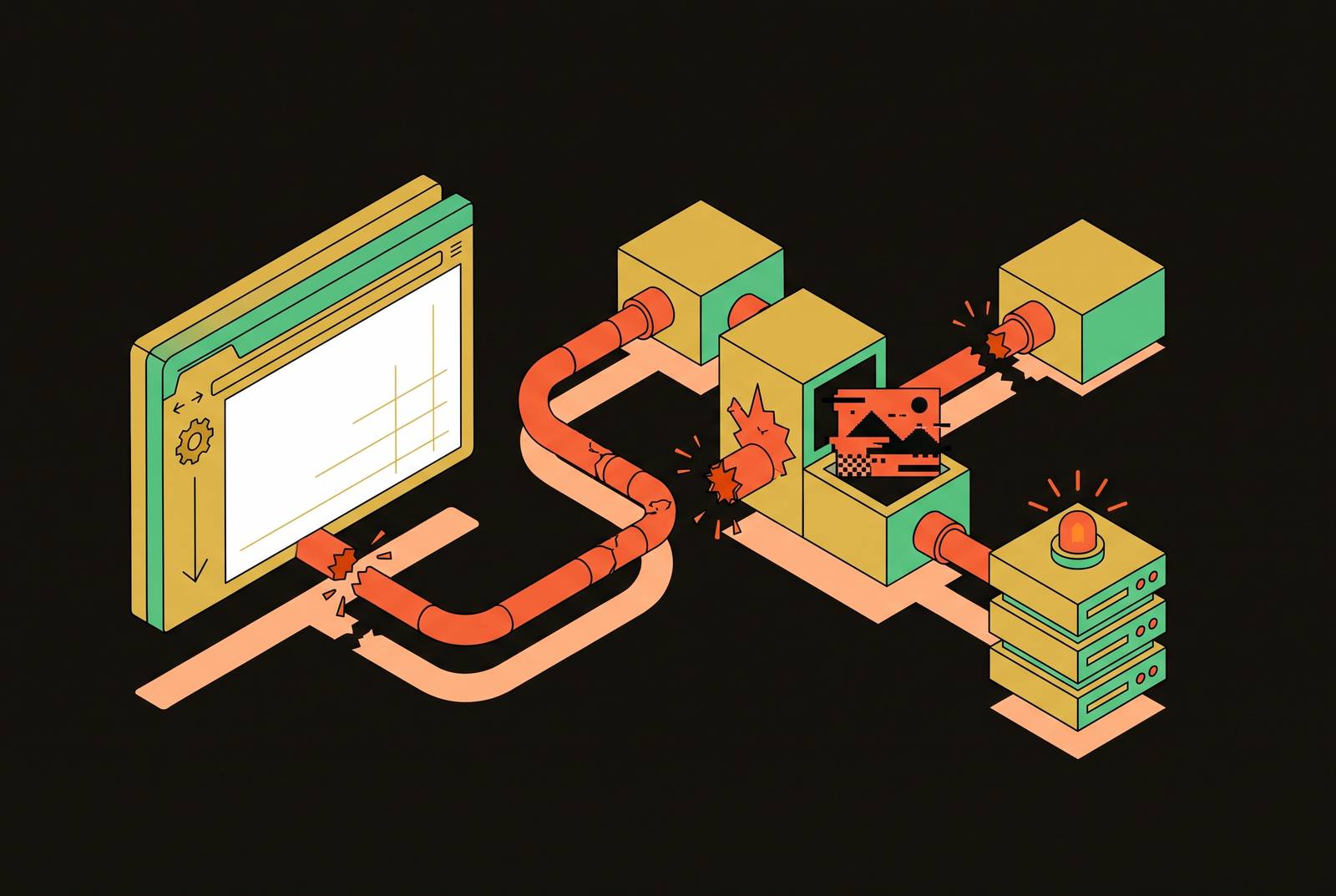
An AI team tracked competitor pricing and built a scraper that worked fine in development, but it quietly broke in production. Products started disappearing from the results, price updates arrived late, and the downstream recommendations built on that data got worse, with no error message pointing to the cause. That's the shape of the problem this piece covers: pipelines built on web content don't crash when JavaScript rendering fails, they keep running and keep reporting success while the data underneath them quietly rots.
The pipeline returns success because it is watching HTTP status codes, not payload contents. A modern e-commerce or SaaS page built on React, Vue, or Angular sends back an HTML shell, often nothing more than a bare <div id="root"></div> plus a script tag, and every product listing, price, and inventory count is injected later by JavaScript that a non-rendering scraper never executes. The scraper logs a clean 200, hands an empty payload downstream, and nothing in the chain flags the difference between a full page and a blank container. The only signal that anything is wrong is a slow decline in data completeness, the kind that is easy to blame on the model or the prompt rather than on a fetch that was hollow from the start.
Silent failures in AI data pipelines built on web content
A standard scraper hits a URL, gets back an HTTP 200, logs the fetch as successful, and hands the payload to whatever comes next in the pipeline. Nothing in that chain checks whether the payload actually contains anything. When a system only watches status codes, you can't tell a 200 response from an empty page.
This is the predictable result of where web development has gone. Most modern sites are built on React, Next.js, Vue, or Angular, and a growing share of them mix rendering strategies, combining server-first approaches like React Server Components and SSR with content that only appears in the browser after JavaScript runs. A browser that executes that JavaScript sees a full page. A crawler that doesn't execute it sees something else entirely, and often what it sees is a blank container with a pointer to a script bundle it will never run.
Picture a basic client-side React app. Its entire HTML response, the thing actually sent over the wire, can be a single <div id="root"></div> tag plus a script tag. A human visitor never sees that: their browser fills the div before they look at the screen. If an AI crawler doesn't run JavaScript, that div is all it sees, and it treats that as the whole page.
The pipeline has no way to flag this. The agent reading the output has no way to flag it either. The only signal that something went wrong is a slow decline in answer quality, the kind of degradation that's easy to blame on the model, on prompt design, on anything except the fact that the data coming in was never complete to begin with.
AI crawlers and JavaScript rendering
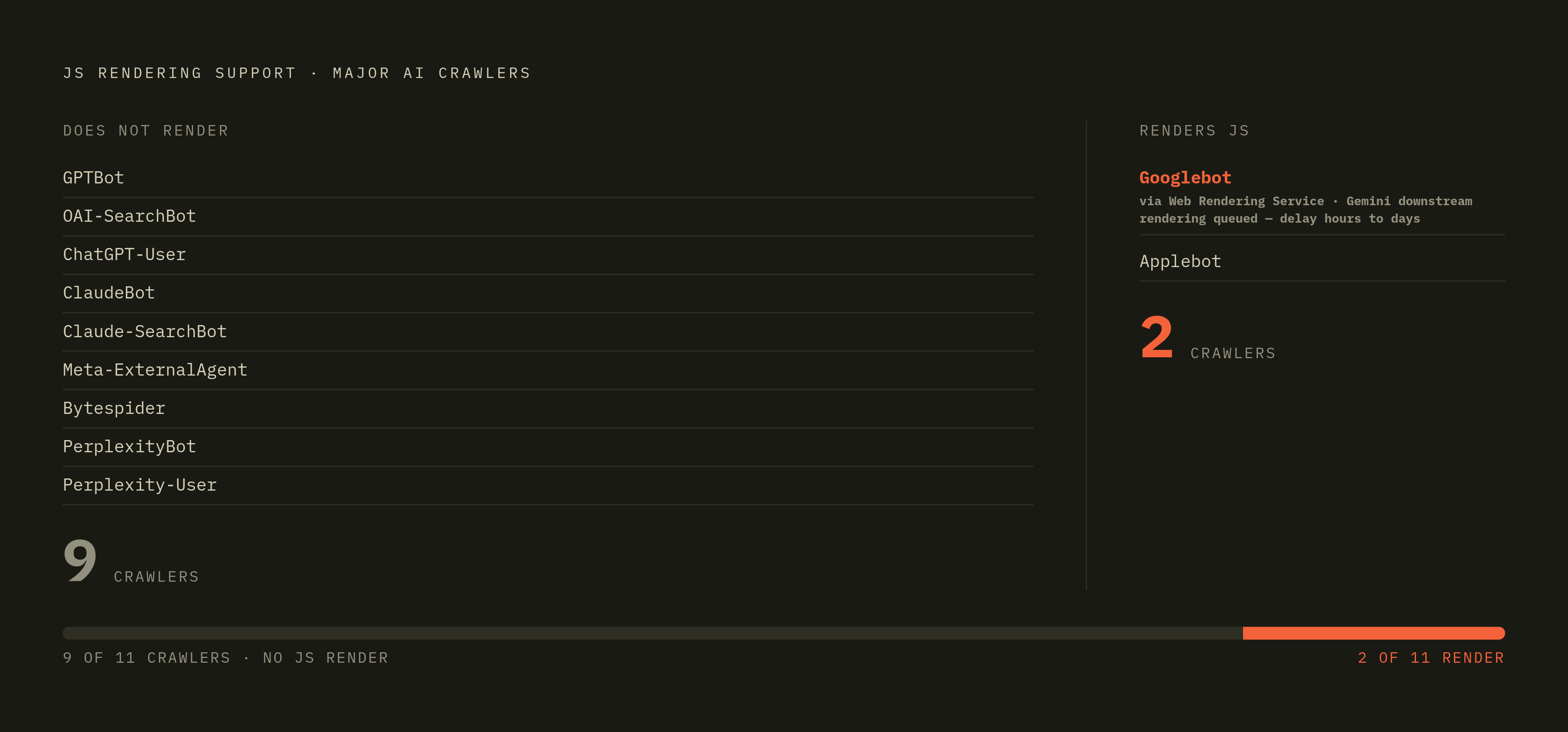
The scale of the gap has been measured, and the results leave little room for debate: the major AI crawlers used for search indexing and retrieval have been measured at scale and none of them execute JavaScript, making client-rendered content systematically invisible to the systems developers rely on most. Vercel and MERJ analyzed crawler traffic across Vercel's network in December 2024 and logged 569 million requests from GPTBot alone, with hundreds of millions more from Anthropic's crawlers, and across every major AI crawler tested, not one rendered JavaScript. That list covers GPTBot, OAI-SearchBot, ChatGPT-User, ClaudeBot, Meta-ExternalAgent, Bytespider, and PerplexityBot. In a separate dataset of AI crawler activity, most crawlers couldn't execute JavaScript at all, missing product listings, user-generated content, and anything that updates in real time.
Two crawlers break from that pattern, and naming them precisely matters. Googlebot runs pages through its Web Rendering Service, and because Gemini draws on Googlebot's crawl data, Google's AI surfaces end up working from rendered content. Applebot does the same, using browser-based infrastructure of its own. Every other major crawler in active use should be treated as reading raw HTML only, with no rendering step at all. That includes Perplexity-User, where no vendor documentation addresses JavaScript rendering one way or the other, and Claude-SearchBot, which Anthropic documents without specifying its rendering capability.
But the Googlebot exception comes with a catch you need to understand before you treat it as a safety net. Googlebot doesn't render every page the instant it's fetched. Rendering gets queued, and depending on server load, that queue can delay rendering by hours or days, during which search engines fall back to whatever the initial, unrendered HTML snapshot contained. For a single-page app, that snapshot can be nearly empty.
A design implication follows from how these crawlers are built. Each major AI vendor runs separate crawlers for training data collection, for search indexing, and for live user-initiated fetches, and these can be turned on or off independently of each other.
Why does my pipeline keep returning success while product data stays incomplete or missing?
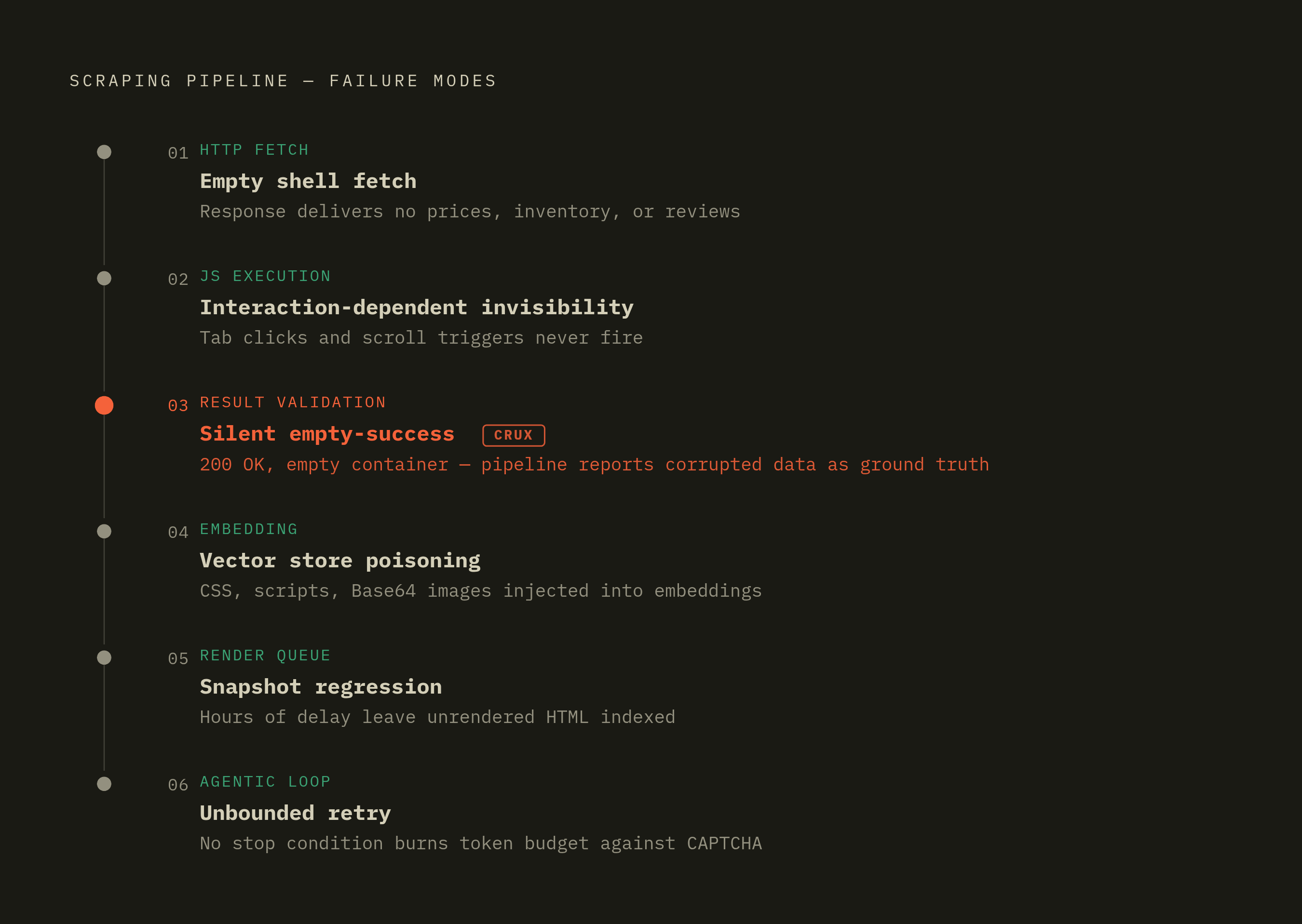
The rendering gap doesn't break pipelines in just one way. It breaks them in at least six distinct ways, and each one occurs at a different stage, from the initial fetch through to the agent's own retry logic. Recognizing which one is active in a given pipeline separates a quick fix from months of chasing a symptom.
The first is the empty shell fetch. A standard HTTP scraper pointed at a modern e-commerce or SaaS site pulls back an HTML shell with no prices, no inventory counts, no reviews, because all of that gets injected by JavaScript after the page loads. The scraper still reports a clean, successful fetch. It just has nothing worth reading inside it.
The second is interaction-dependent content invisibility. Plenty of sites only load tab content when a user clicks the tab, or only load a content block when it scrolls into view through an Intersection Observer callback. An AI crawler never clicks anything and never scrolls, so that content, even though it fully exists in the rendered page a human would see, stays permanently out of reach.
The third is silent empty-success. A page returns a normal 200 response with an empty results container, and the agent reading it concludes that zero results is itself a fact worth reporting as a real finding. No error fires. No flag gets raised anywhere in the chain. Whatever tool consumes that output treats the empty payload as ground truth.
The fourth is vector store poisoning through boilerplate injection. When raw, unparsed HTML gets fed straight into an embedding model, it carries along CSS class names, script blocks, navigation menus, and Base64-encoded image data mixed in with the actual content. Once you chunk and embed that, structural noise buries the real content's semantic signal, so retrieval in any RAG system built on top of it gets worse.
The fifth is rendering queue delay and snapshot regression, the same mechanism you saw above with Googlebot. Rendering can sit in a queue for hours or days, and during that window, calls to action, page copy, metadata, and internal links that only appear after rendering go missing entirely from what gets indexed.
The sixth is the agentic unbounded retry loop. An agent that hits a CAPTCHA, a 403 response, or a broken paginator, with no stop condition tied to rendering failure, will keep retrying or keep replanning indefinitely. The session burns through token budget without ever producing usable data, and that cost piles up invisibly until it hits a budget ceiling.
What these failures cost across AI pipeline use cases
These six failure modes don't stay abstract for long. They appear as concrete costs, and which cost occurs depends on what the pipeline is actually for.
In RAG grounding, output quality is tied directly to how clean and complete the indexed material is. Raw HTML polluted with structural boilerplate waters down the semantic content of every chunk, so retrieved passages end up less relevant and generated answers end up less accurate. None of that is visible at index time. It becomes visible only later, as a slow drift in how good the answers are.
In brand and product intelligence, the risk concentrates on exactly the pages that matter most: product and feature pages, where descriptions, specs, and pricing frequently load client-side. The crawlers most likely to cite those pages directly can't read them, so a competitor intelligence or brand monitoring pipeline built on a naive crawl ends up with a distorted picture of the market it's supposed to be tracking.
In pricing and inventory monitoring, the pattern already described above plays out at scale: scripts that work in a development environment break once products load via JavaScript and competitors adjust their page structures, leading to missing listings, delayed price updates feeding directly into AI recommendations, and mounting engineering hours spent on manual patches.
In AI search visibility, a fully client-rendered app can end up absent from both the Bing index and direct AI crawler fetches at the same time, and a brand can rank well in Google Search while still being invisible to the AI systems that answer questions directly, because these are separate visibility problems that need distinct fixes.
In change detection and monitoring pipelines, the cost is measured in headcount. In some industries, a meaningful share of scrapers need weekly fixes because of DOM changes, fingerprinting updates, or throttling on the target site, and at scale that turns into a dedicated engineering role. The pipeline's reliability ends up depending on how many people are available to keep patching it, not on anything architectural.
How the anti-bot layer complicates in-house rendering fixes
The obvious fix for all of this looks simple: add a headless browser so the scraper executes JavaScript the way a real browser would. That fixes rendering, and immediately exposes a behavioral-detection failure instead. Modern anti-bot systems are built specifically to detect headless browsers and quietly fail them, so you get the same empty-payload symptom through a completely different mechanism.
The failure is behavioral. A scraper that navigates straight to a button with inhuman precision, no mouse drift, no pause, no scroll, gets soft-blocked: the page loads, but the data silently fails to populate, and no error gets thrown anywhere in the process.
Some tools do get around current detection. Camoufox, SeleniumBase's UC Mode, Nodriver, and curl-cffi (used for impersonating TLS fingerprints) all currently work, but each demands ongoing maintenance and real specialization, and each will eventually run into the same deprecation cycle that's already caught earlier tools as detection systems get updated.
A newer approach uses vision-based LLM agents, multimodal models that interact with a page the way a person would, reading the screen instead of relying on DOM selectors. That sidesteps both rendering detection and behavioral detection at once, at least in principle. Cost and latency still make it impractical to run at real pipeline scale for most teams today.
Put these two problems together: building and maintaining a scraping stack in 2026 that both renders JavaScript and survives anti-bot detection has no end date. It's ongoing infrastructure work. Scraper maintenance at any real scale becomes its own dedicated engineering role, and that role spends its time defending against an arms race, not building anything new.
Where origin-side fixes like SSR and prerendering help
None of this means server-side rendering or prerendering are the wrong fix, if the question is how to make a site's own content visible to AI crawlers. If a team controls a site, SSR puts fully rendered content into the HTML before it ever reaches a crawler, so the rendering step drops out of the equation entirely. Static site generation and incremental static regeneration get to the same place by a different route: content sits in the HTML at serve time, so there's nothing for the crawler to execute.
These fixes solve exactly one problem: making a site's own content show up correctly when an AI crawler reads it. They do nothing for a pipeline built to pull data from sites the team doesn't control, which covers most of what AI agent and RAG pipelines are actually built to do. None of these approaches help a pipeline that scrapes a competitor's pricing page, monitors a third party's documentation, indexes an external knowledge base, or pulls brand mentions from sites outside the team's control, and that kind of external data ingestion makes up the bulk of the work most AI agent pipelines are built to do.
That's the boundary that matters for anyone building these systems. Fixing a site's own rendering is a prerequisite for being readable, not a substitute for a pipeline that can reliably read everyone else's sites too.