Selenium Legacy Migration to Modern Scraping Stacks
Selenium's browser automation creates silent failures that modern data pipelines can't tolerate.
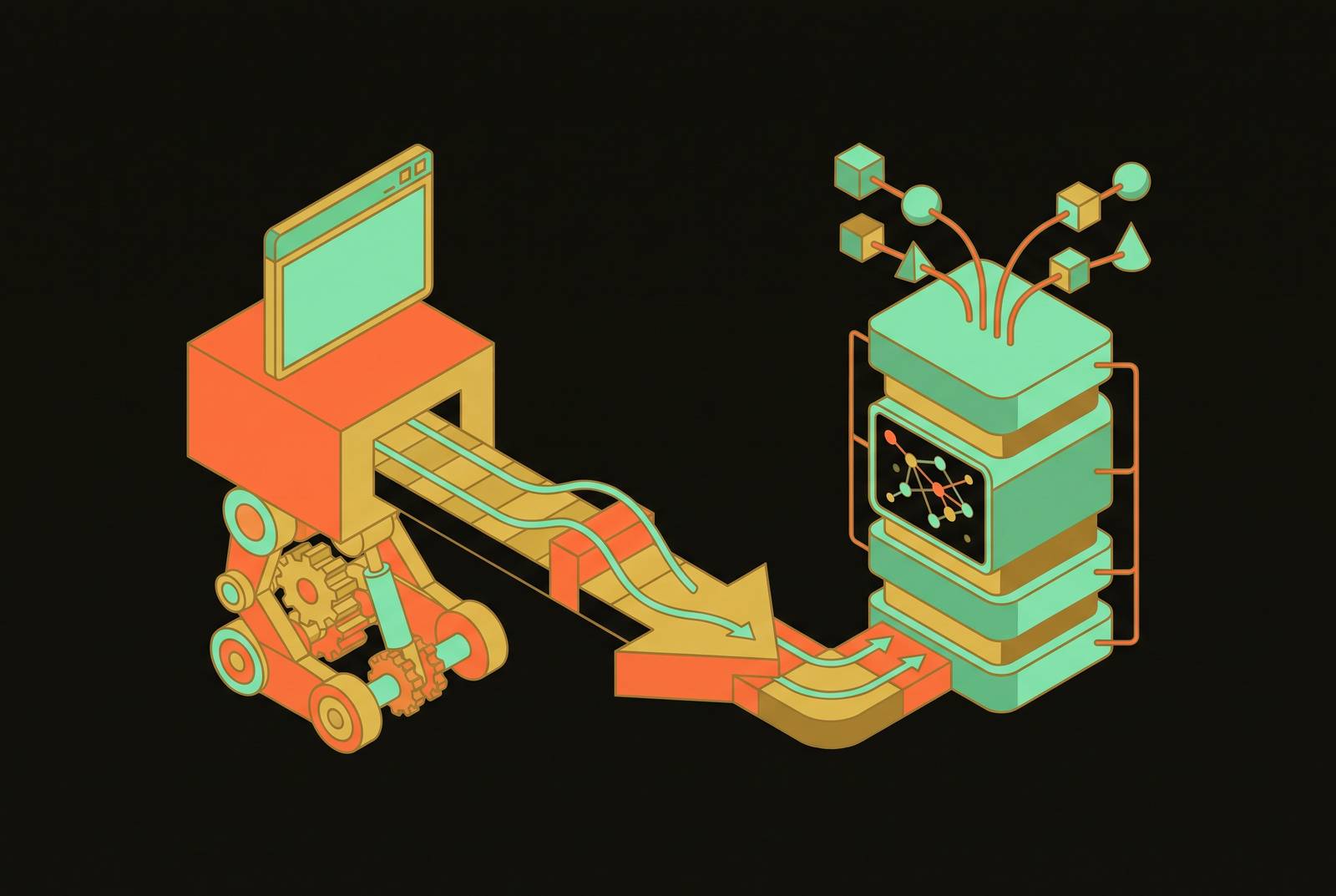
A pipeline runs clean, exits with no error, and stores garbage. That's the failure mode driving teams off Selenium: an anti-bot soft block hands back a page that looks plausible but isn't the listing the pipeline asked for, and nothing in the logs says so. The rest of this piece is about why that happens and what to run instead.
Why Selenium's architecture no longer fits the job
Selenium was built in 2004 to drive a browser for UI testing, not to pull data out of the web at scale, and almost every complaint teams have about it today traces back to that mismatch. The WebDriver protocol drives a real copy of Chrome, Firefox, or Edge through language bindings, checking that buttons click and forms submit the way a human user would experience them. That's the right job for testing UI fidelity. It's the wrong engine for a pipeline that needs to pull thousands of pages an hour.
Selenium's selector model assumes a stable, document-like page: load it, find the element, read the text. Modern single-page applications rebuild their internal structure on every render, generate class names that change on each build, and load content after the page has already returned a response. The surface Selenium was designed to read doesn't exist in the same form anymore.
Then there's the operational tax. Every Selenium session needs a browser driver binary that matches the installed browser version. Chrome updates itself automatically; the driver doesn't, and the mismatch throws the SessionNotCreatedException error that anyone who has run Selenium in production will recognize on sight, and that error resurfaces every time Chrome pushes a new release, making it a recurring maintenance line item.
Scale makes the resource picture worse. Running sessions concurrently means running separate browser processes, and each headless Chrome instance eats hundreds of megabytes of RAM. Ten concurrent sessions can burn several gigabytes before the rest of the application, the database, or the queue worker gets a share. And anti-bot systems have learned to watch for the WebDriver protocol itself: it leaves a fingerprint, and that fingerprint is often the single biggest reason a scraper gets blocked. Patches like undetected-chromedriver mask some of the signal, but they add a layer of complexity on top of a signature that's still there underneath. Selenium was designed in 2004 as a browser test automation tool, not a data extraction engine, and the gap between those two purposes is the source of every practical pain point teams encounter when they try to use it as one. It means the job changed, and the tool's original design premises, stable pages, low concurrency, a human-shaped testing workflow, don't match what a production data pipeline asks of it now.
What modern AI-driven pipelines need from a scraping layer
Large language models read clean text well and raw HTML badly. A page full of navigation bars, footers, and script tags doesn't just waste a model's attention, it costs money: every token of boilerplate is a token billed and a token that can crowd out the content that actually matters. The ideal input is something like Markdown with its heading structure intact. A retrieval-augmented generation system built on noisy or outdated content will answer questions confidently and wrongly, and there's no way to catch that from the output alone.
Freshness carries the same weight as cleanliness. A RAG system grounded on government policy pages that are a week stale will still answer with total confidence, and it'll be wrong. That means the scraping layer has to treat how recently content was pulled as a property of the output itself, not an afterthought logged somewhere else.
The cleanest abstraction for feeding AI pipelines is schema-driven extraction: hand over a URL and a JSON schema, get structured data back. That removes the brittle layer of CSS selectors and XPath expressions that break every time a site redesigns its markup, and it hands the model something it can reason over directly, with no cleanup pass in between.
Agentic systems add a different kind of pressure. An agent working through a multi-step task needs to call the scraping layer on demand, inside its own reasoning loop, not kick off a batch job on a schedule and wait. Spinning up a full browser process every time an agent needs a page introduces exactly the kind of latency that breaks that loop.
Three things are converging to make all of this possible at once. Models can read a product listing and pull structured data out of it without a single CSS selector written by a human. Vision-language models can read a screenshot directly, skipping the DOM entirely. Agent frameworks can plan multi-step scraping jobs, catch failures, and adjust on the fly. Token prices dropped roughly tenfold between early 2025 and early 2026, which took LLM-powered extraction from a novelty to something that pencils out economically, making it worth adopting at scale.
The honest case for staying on Selenium
None of this makes Selenium obsolete. Selenium remains the right choice in specific organizational situations, and the mistake is treating those situations the same as an AI pipeline build.
Large organizations running multiple languages still lean on Selenium because its bindings cover Java, C#, Ruby, Python, and JavaScript, a spread Playwright doesn't fully match. Regulated industries, banks, healthcare organizations, government contractors, often need test definitions sitting in version-controlled repositories with a clear audit trail on every change, and Selenium scripts checked into Git satisfy that requirement directly, with no extra explanation needed to pass an audit. Teams that have already built out large Selenium Grid infrastructure on owned hardware have a real, sunk operational investment in that distributed execution setup, and tearing it out isn't free.
Selenium itself has also kept improving. The 4.x line, with Selenium Manager handling driver versioning and the WebDriver BiDi initiative under development, is a meaningfully better tool than the 3.x line it replaced, and the WebDriver standard means the protocol underneath it isn't going away structurally. For a codebase holding tens of thousands of lines of existing Selenium test code, rewriting all of it carries a cost that has to be weighed honestly against whatever the new stack promises to save.
Selenium's home is UI test automation in a controlled environment, built by a team that owns the pages it's testing. The moment the job becomes extracting structured data for an LLM pipeline at production volume, a different stack wins, and the rest of this piece is about which one.
How the replacement options are layered and what each one solves
What replaces Selenium is a stack of tiers, each built for a different kind of extraction problem, and picking the wrong tier for a job is as costly as staying on Selenium for a job it was never suited to.
The decision tree starts with the simplest, cheapest option and works up. If a page returns its data in the first HTTP response, a plain HTTP request paired with a parser (Requests and BeautifulSoup, or httpx) is faster and cheaper than spinning up any browser at all, and that check should always come first. If the data isn't in the first response but the page loads it through an XHR or Fetch call, the next move is to intercept that network call directly rather than rendering the page in a browser at all, a point developed further below.
Real browser automation, Playwright specifically, becomes the right tool once a page genuinely requires interaction: logging in, clicking through a flow, paging through results, waiting for JavaScript to render content that doesn't exist in the raw HTML. Playwright runs two to three times faster than Selenium on sequential page loads, supports async operations natively, waits automatically for elements to become ready, intercepts network traffic out of the box, and reads Shadow DOM natively. It's still detectable by anti-bot systems, though less reliably than Selenium's WebDriver signature gives it away.
Above that sits LLM-powered extraction: hand prepared content to a model along with a schema when the page's selectors are too unstable to maintain and the content can be understood semantically without pinning down an exact CSS path. This tier costs more per page and runs slower than selector-based scraping, so for high-volume jobs where price per page matters, selectors still come out ahead.
At the top of the stack sit managed scraping APIs: no servers to run, proxy rotation and anti-bot handling built in, and Markdown or structured JSON delivered straight back. That tier makes sense when engineering hours cost more than the API bill, and it's the natural fit for AI pipelines specifically, since the output arrives already shaped for a model with no cleanup step required.
The tiered pattern most production pipelines converge on runs these tiers in order: try fast selectors first, fall back to LLM-based text extraction when selectors fail, and fall back to vision-based extraction only as a last resort, with each tier invoked only when the tier above it cannot handle the target. Each tier only gets invoked when the one above it can't handle the page.
Playwright as the first migration target for browser-dependent pipelines
For any pipeline that genuinely needs a browser, login walls, JavaScript-rendered pages, multi-step pagination, Playwright is the most direct place to move code off Selenium, though it's a step along the way rather than the final destination for a pipeline that ultimately needs to feed a model.
Selenium's Python bindings run synchronously by default, with only third-party wrappers bolted on for async behavior, so scaling up means running more browser processes side by side. Playwright's async API lets a single browser instance handle multiple pages concurrently. That difference alone changes how many machines a pipeline needs to hit the same throughput.
Playwright also removes the guesswork that makes Selenium scripts flaky. Instead of writing time.sleep() calls or explicit wait conditions and hoping they're long enough, Playwright waits for an element to actually become clickable or visible before acting on it. A Selenium script written the old way looks like a WebDriverWait wrapped around an expected_conditions check, repeated for every element on the page. A Playwright script locates the element and acts on it, and the waiting happens underneath without being written out. That difference in verbosity isn't cosmetic: Playwright runs about 40% shorter for equivalent tasks, because its locator API expresses what Selenium needs several lines to say.
Playwright also reads network traffic directly. Capturing the XHR or Fetch calls a page makes often means a pipeline can skip parsing the rendered DOM entirely and just read the JSON the page was going to use to render itself, which tends to run faster and break less often than any selector-based approach. Native Shadow DOM support handles component-based UI patterns that used to require manual workarounds in Selenium. And Playwright has become the connective tissue for agent-driven browser work too: Microsoft's @playwright/mcp server lets coding agents drive a browser from inside their own reasoning loop, which makes Playwright the natural base for any new agentic browsing project built from scratch.
Playwright has real limits. The webdriver flag is set to true in all Playwright browser instances, headless and headed alike, so anti-bot systems can still detect it. It still launches a full Chromium, Firefox, or WebKit process with the memory overhead that comes with it. Playwright fixes how a browser gets driven. It doesn't fix the fact that the pipeline still has to manage its own proxies, handle anti-bot bypass on its own, and turn raw HTML into something a model can read before the data is actually usable. Language coverage is narrower too: Playwright supports JavaScript, TypeScript, Python, Java, and C#, and teams running PHP, Ruby, or Kotlin have a real gap that Selenium still fills. Solving the ergonomics of browser automation is a different problem from solving the infrastructure around it, and that's the gap the next tier of tools is built to close.
Where open-source model-native crawlers fit
A newer category of open-source crawler has been built from the ground up around feeding models, not around rendering pages for a human to look at, and that changes what comes out the other end: clean Markdown or structured JSON as the default output, not raw HTML that still needs a parsing pass.
Crawl4AI is the clearest example. It's an open-source Python crawler designed from its first line of code around a single question: can a model actually reason over what comes out of this? Crawl4AI is not a general-purpose crawler adapted for AI, but one designed from the start around that question. Under the hood, it uses Playwright to handle JavaScript rendering, but it treats rendering and formatting as one combined step rather than two separate ones: the page renders, and the output arrives as clean Markdown or structured JSON in the same pass.
For feeding a model, especially one billed per token, fit_markdown is almost always the better choice: navigation, footer, and sidebar content inflates token count without improving retrieval quality, and for RAG pipelines, clean Markdown with preserved structure is what the retrieval step benefits from most.
This tier sits between Playwright and a fully managed API. A team running Crawl4AI still owns the infrastructure, the servers, the scaling, the proxy management, but gets LLM-ready output as the default artifact instead of HTML that needs a separate cleanup stage. For a team that wants control over the extraction layer without reinventing the formatting step every model-facing pipeline eventually needs, that's the tier built for the job.
Sources
- Selenium vs Playwright in 2026: Which Should You Use for Web Scraping?
- Top 10: Best Alternative for Selenium in 2026
- Selenium vs fastCRW: Legacy Browser Scraping vs Modern API
- Selenium Alternative 2026: An Honest Look at What's Changed and What Hasn't — ModelPiper
- GitHub - unclecode/crawl4ai: Open-source web crawler and scraper for LLMs and AI agents: any website into clean, LLM-ready Markdown. Run it yourself, or use Crawl4AI Cloud with one key. · GitHub